Canvas & Press
A desktop publishing studio for macOS, Windows and Linux.
Canvas & Press is for laying out anything meant to be printed or shared as a finished page: newsletters, flyers, magazines, business cards, menus, reports and books. It works the way you'd expect a page-layout tool to work if you've used InDesign or Publisher: pages and master pages, frames you drag out and fill, text that flows from one frame to the next, and a PDF at the end that a print shop will accept.
Layout
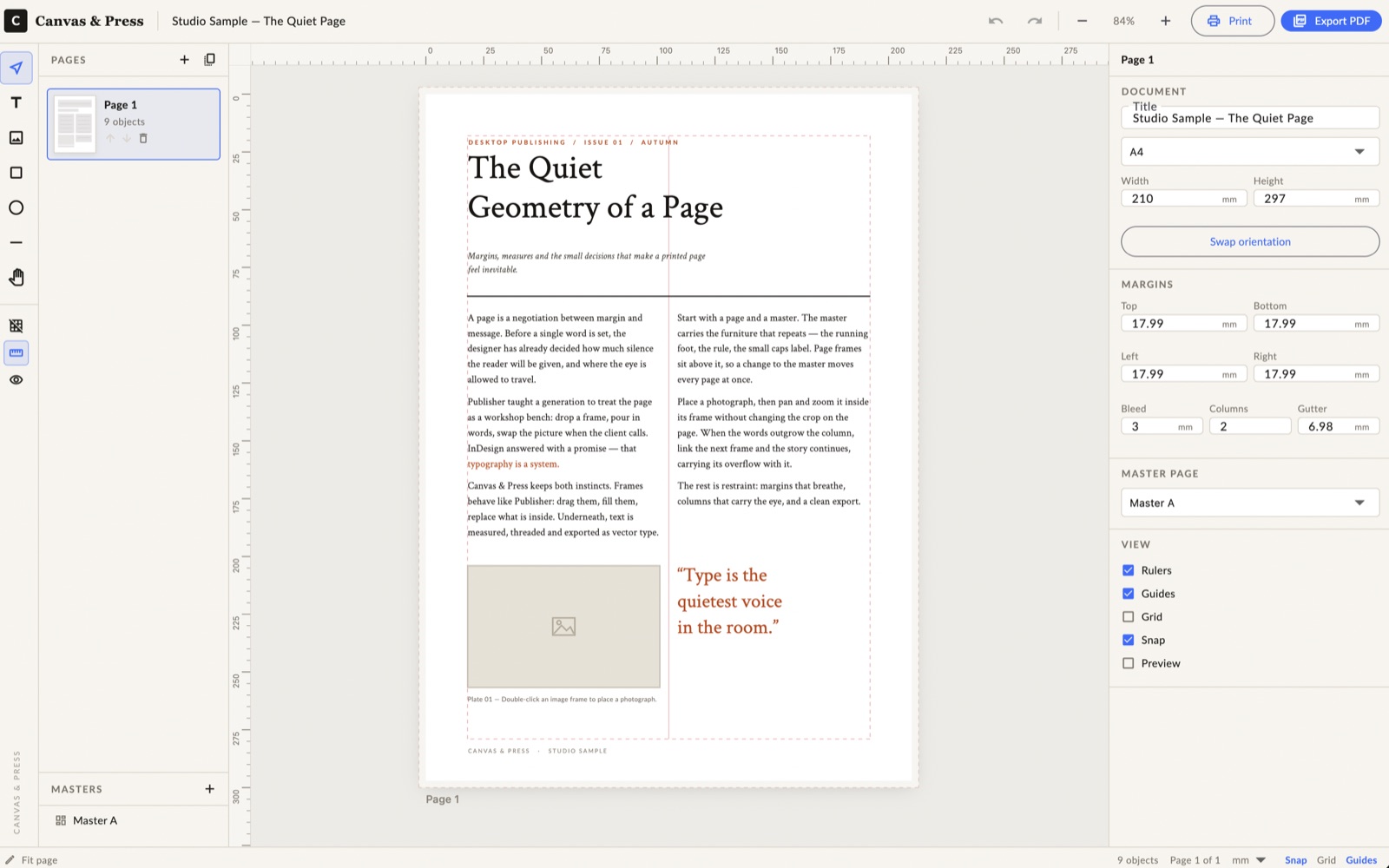
- Pages and master pages: standard paper sizes or your own, with margins, columns, bleed and facing-page spreads. Running headers, footers and page numbers live on a master and show up on every page that uses it.
- Frames: text, image, table, shape, line and pen-drawn vector frames. Move, resize, rotate, align and distribute them, with smart snapping to margins, guides and other objects.
- Layers, guides and grids: drag guides out of the rulers, and lock or hide layers while you work.
- Templates and data merge: start from a newsletter, flyer or social card template, or fill pages from a CSV file to make one card or label per row.
Typography
- Threaded stories: text flows from frame to frame and page to page, with a clear marker when copy doesn't fit.
- Paragraph and character styles: change a style once and every linked frame updates, while local tweaks are kept. Nested and pattern-based (GREP) styles format text for you.
- Fine control: leading, tracking, justification, hyphenation, drop caps, baseline grid, multi-level lists, tab stops, footnotes and OpenType features such as ligatures and old-style figures.
- Text wrap: wrap copy around a box or shape, jump past an object, or set text inside a shape.
- Writing tools: a story editor, Find / Change across the whole document, spell check, tables of contents and indexes.
- Bundled typefaces: four open-source families (Lato, Crimson Text, Arvo and Space Mono), so text measures the same on screen as it does in the PDF.
Print and export
- Print-ready PDF with presets, PDF/X-1a and PDF/X-4, CMYK and spot colours, overprint preview, bleed, crop marks and registration marks.
- Preflight catches overset text, low-resolution or missing images and objects that fall off the page before you export.
- Package for print gathers the document, a press-quality PDF, fonts, linked images and a report into one folder for your printer.
- Other formats: PNG, JPEG, SVG, EPS and HTML export, plus printing straight from the app.
Bring in your existing work
Canvas & Press can import content from Microsoft Publisher (.pub), InDesign (.idml), Illustrator (.ai), PDF, SVG, EPS, HTML, OpenDocument (.odt) and LaTeX files, so you don't have to start an old project from scratch.
Private by design
Canvas & Press works offline. There's no account to create, no ads and no analytics. Your documents are saved as files on your own computer and never leave it unless you share them.
Availability
Canvas & Press is in development and isn't available to download yet. macOS is the first platform; Windows and Linux builds will be tested before they're released.
To hear when it's ready, join the Volatile Apps Google Group. Questions or ideas? Email jarod@volatileapps.com.